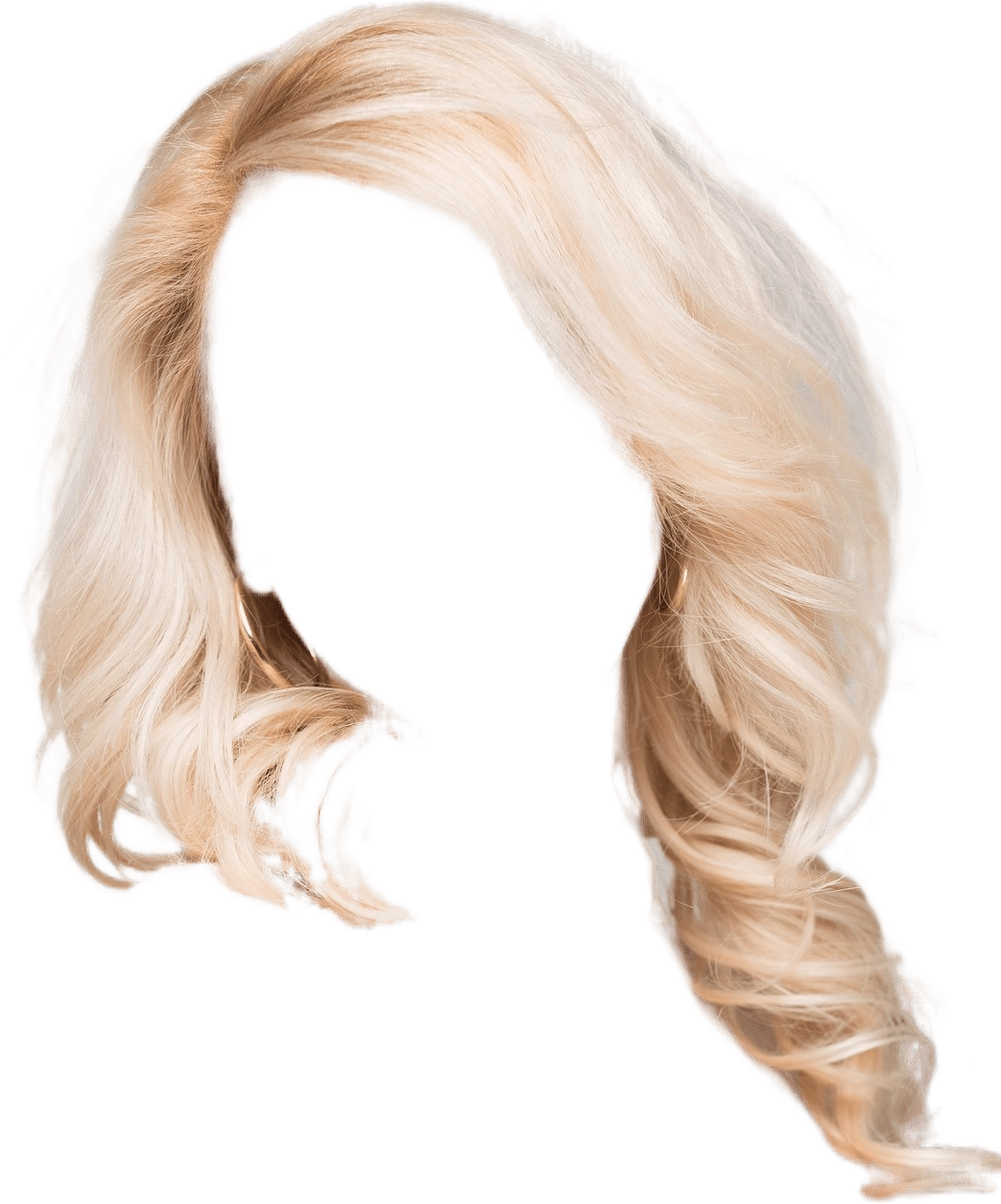
The Hairstyle Extraction API offers advanced image recognition capabilities to accurately identify and isolate hairstyles from images. By focusing on the head region of the person in the image, this API precisely extracts the hairstyle and outputs it as a PNG file with a transparent background. This functionality is ideal for applications in virtual try-ons, fashion analysis, and digital content creation. Integrate the Hairstyle Extraction API to provide users with the ability to effortlessly separate hairstyles from their images, facilitating a wide range of creative and professional uses.
Extract and isolate hairstyles from images with the Hairstyle Extraction API, delivering PNG images with transparent backgrounds.
JPEG JPG BMP PNG| Field | Required | Type |
|---|---|---|
image |
YES | file |
Hairstyle Extraction - Endpoint Features
| Object | Description |
|---|---|
Request Body |
[Required] File Binary |
{"data":{"elements":[{"x":471,"image_url":"https:\/\/ai-result-rapidapi.ailabtools.com\/cutout\/segmentHair\/2024-06-13\/122108-5d6c46f6-bf35-7f1d-d606-f17d08a30164-1718281268.png","y":0,"height":604,"width":674}]},"error_code":0,"error_detail":{"status_code":200,"code":"","code_message":"","message":""},"log_id":"523E6370-C04C-53A6-B6CF-471337E2B22B","request_id":"523E6370-C04C-53A6-B6CF-471337E2B22B"}
    curl --location 'https://zylalabs.com/api/4407/hairstyle+extraction+api/5416/hairstyle+extraction' \
    --header 'Content-Type: application/json' \
    --form 'image=@"FILE_PATH"'
| Header | Description |
|---|---|
Authorization
|
[Required] Should be Bearer access_key. See "Your API Access Key" above when you are subscribed. |
No long-term commitment. Upgrade, downgrade, or cancel anytime.
The Hairstyle Extraction API offers advanced image recognition capabilities to accurately identify and isolate hairstyles from images. By focusing on the head region of the person in the image, this API precisely extracts the hairstyle and outputs it as a PNG file with a transparent background.
Virtual Hairstyling Apps: Providing users with the ability to try on different hairstyles virtually by extracting and overlaying various haircuts onto their photos. Beauty and Fashion Industry: Assisting hairstylists, salons, and beauty professionals in showcasing different hairstyles and trends through virtual makeovers and consultations. E-commerce Platforms: Enhancing the visual representation of hair products, such as wigs, extensions, and hair accessories, by extracting and showcasing the hairstyles on models or mannequins.
Precision and Detail: Ensures accurate extraction of hairstyles, preserving intricate details and textures for realistic visualizations. Time Efficiency: Streamlines the hairstyling process, saving time for both users and professionals during consultations or virtual makeovers. Versatility: Applicable to a wide range of hairstyles, including short, long, curly, and straight, catering to diverse user preferences and needs. Visual Realism: Provides lifelike representations of hairstyles, allowing users to visualize how different looks will complement their facial features and overall appearance.
The Hairstyle Extraction API returns a JSON object containing the extracted hairstyle data, including the image URL, dimensions (width and height), and coordinates (x and y) for the extracted hairstyle.
The key fields in the response data include `image_url` (URL of the extracted hairstyle), `width` (width of the image), `height` (height of the image), `x` (top left x-coordinate), and `y` (top left y-coordinate).
The response data is structured as a JSON object with a `data` field containing an `elements` array. Each element in the array represents an extracted hairstyle with its associated properties.
The primary parameter for the Hairstyle Extraction endpoint is the `image`, which must be a file in supported formats (JPEG, JPG, BMP, PNG) and meet size and resolution requirements.
Users can utilize the returned data by accessing the `image_url` to download the extracted hairstyle image. The width and height can help in displaying the image correctly in applications, while the coordinates assist in positioning the hairstyle overlay.
Typical use cases include virtual wig try-ons, barbershop consultations, and fashion analysis, where users can visualize different hairstyles on their images for better decision-making.
Data accuracy is maintained through advanced image recognition algorithms that focus on precise segmentation of hairstyles, ensuring realistic and high-quality extractions from user-uploaded images.
If users receive partial or empty results, they should check the input image for compliance with the API's requirements (format, size, resolution) and ensure that the head region is clearly visible for optimal extraction.
Please have a look at our Refund Policy: https://zylalabs.com/terms#refund
To obtain your API key, you first need to sign in to your account and subscribe to the API you want to use. Once subscribed, go to your Profile, open the Subscription section, and select the specific API. Your API key will be available there and can be used to authenticate your requests.
You can’t switch APIs during the free trial. If you subscribe to a different API, your trial will end and the new subscription will start as a paid plan.
If you don’t cancel before the 7th day, your free trial will end automatically and your subscription will switch to a paid plan under the same plan you originally subscribed to, meaning you will be charged and gain access to the API calls included in that plan.
The free trial ends when you reach 50 API requests or after 7 days, whichever comes first.
No, the free trial is available only once, so we recommend using it on the API that interests you the most. Most of our APIs offer a free trial, but some may not include this option.
Yes, we offer a 7-day free trial that allows you to make up to 50 API calls at no cost, so you can test our APIs without any commitment.
Zyla API Hub is like a big store for APIs, where you can find thousands of them all in one place. We also offer dedicated support and real-time monitoring of all APIs. Once you sign up, you can pick and choose which APIs you want to use. Just remember, each API needs its own subscription. But if you subscribe to multiple ones, you'll use the same key for all of them, making things easier for you.
Service Level:
100%
Response Time:
0ms
Service Level:
100%
Response Time:
0ms
Service Level:
100%
Response Time:
0ms
Service Level:
100%
Response Time:
0ms
Service Level:
100%
Response Time:
3,976ms
Service Level:
100%
Response Time:
916ms
Service Level:
100%
Response Time:
723ms
Service Level:
100%
Response Time:
830ms
Service Level:
100%
Response Time:
2,435ms
Service Level:
100%
Response Time:
3,483ms
Service Level:
100%
Response Time:
19,392ms
Service Level:
100%
Response Time:
541ms
Service Level:
100%
Response Time:
148ms
Service Level:
100%
Response Time:
199ms
Service Level:
100%
Response Time:
743ms
Service Level:
100%
Response Time:
630ms
Service Level:
100%
Response Time:
455ms
Service Level:
100%
Response Time:
396ms
Service Level:
100%
Response Time:
447ms
Service Level:
100%
Response Time:
76ms